How it worksSafetyLogPricingFAQ Log in Request a demo
AI speaker for the classroom

A smart classroom voice your school can trust

Evi answers students’ questions, helps the teacher run the lesson and stays fully under the school’s control. Safe content, a transparent log, privacy by default.

Teacher controls topicsSafe content for kidsA log of every dialogue
Already running in private schools and learning centres
What is photosynthesis?How do you say “autumn” in French?Help me with fractionsWhy is the sky blue?
Meet

This is Evi

A voice assistant built for the classroom — not just another smart speaker off the shelf.

One device on the desk

It simply sits on the teacher’s desk

No tablet or gadget for every student. One device for the whole class.

And the class comes alive

Kids ask — Evi helps

Questions are asked out loud, answers stay on point and within the lesson. The teacher sees every one in the log.

How it works

Ready for the lesson in one break

No complex integrations. Set it up, define the boundaries — and Evi works within the limits the school sets.

01

Place Evi in the classroom

The speaker connects to the school’s internet in a minute. No student logins or personal devices needed.

02

The teacher sets the boundaries

They pick the lesson’s topics and the class level. Evi answers only within those limits and gently steers back on topic.

03

The school sees everything

Every dialogue goes into the log with a recording and transcript. Transparent for administration and parents.

Safety and privacy

Built for children. Managed by the school.

Evi doesn’t collect children’s data for advertising and doesn’t work around the school. Content, access and recordings — all under the administration’s control.

Only safe content for children

Filtering on several levels: no adult topics, no dangerous advice, no ads. Answers in age-appropriate language.

Data managed by the school

Recordings and transcripts are stored in the school’s dashboard. The school decides who has access and how long to keep them.

Transparency for parents

Parents see what Evi answered their child and how. No “black boxes” in the classroom.

No personal accounts for children

Students don’t need logins or phones. Evi works as a shared classroom assistant, not a personal gadget.
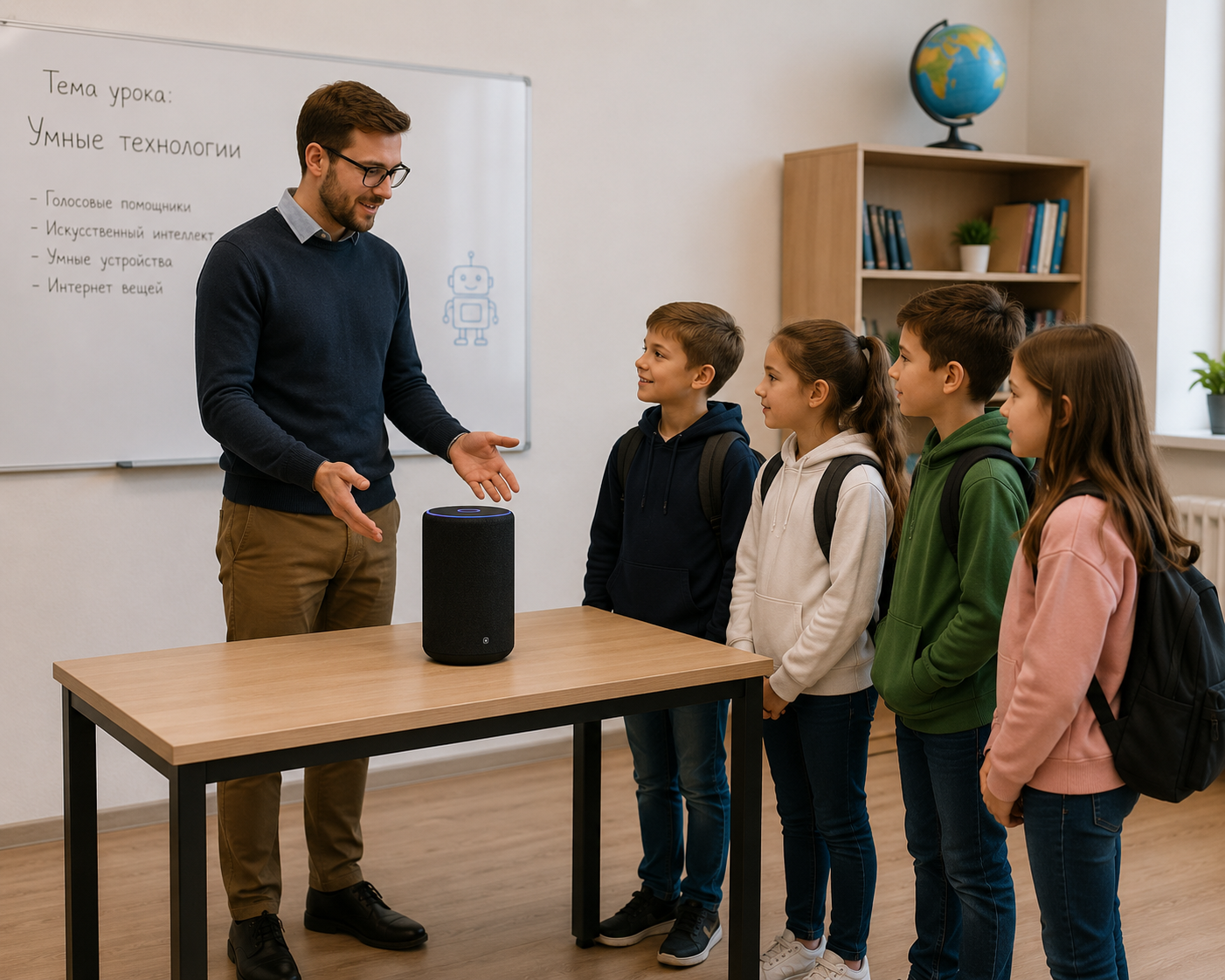
Учитель и ученики у колонки Evi на столе в классе
Teacher controls topics

The teacher runs the lesson. Evi stays within its bounds.

Before the lesson the teacher picks the topics and the class level. Evi helps to the point and gently brings students back to the material if the conversation drifts.

Topics per lesson. Enable only what you’re covering today — from photosynthesis to fractions.

Age and level. Evi matches the answer’s complexity to the class — without unnecessary jargon.

Hints, not answers. On problems Evi guides toward the solution rather than handing it over.

Quiet mode. One tap — and Evi goes quiet during a test.

Teacher panel · Evi
Today’s lessonBiology · Class 5-A
PhotosynthesisPlant structureThe cellEvolutionEcosystems
Hint, don’t give the answerGuides toward solutions on problems
Bring back to the lesson topicGently reminds about the subject
Quiet mode (test)Evi doesn’t respond
Listening log

Every dialogue in plain sight

A recording, transcript and lesson context for any student question. Listen, read, check — in one click.

school.evi.alrevion.com / log
What schools say

Teachers are at ease. Kids are engaged.

“Kids raise their hands to ask Evi. And I see every question in the log — that removed all my worries about AI in the classroom.”

M
Marina L.Biology teacher, private school

“Privacy is critical for us. That data stays under the school’s control instead of going who-knows-where was the main argument for buying.”

R
Rustam A.Director of a learning centre

“Setup took ten minutes. Teachers with no tech background set the lesson topics themselves with ease — rare for school products.”

E
Elena S.Head of studies, gymnasium
Pricing and plans

Transparent pricing for schools

Hardware plus a platform subscription. Prices are indicative — the final cost depends on the number of classes.

Classroom
on request

One Evi speaker and a dashboard for a single class.

  • 1 Evi speaker
  • Teacher panel
  • Listening log
  • Email support
Discuss
Network / centre
on request

Several sites, unified management and reporting.

  • Everything in the “School” plan
  • Multiple branches
  • Unified reporting
  • Dedicated manager
  • Staff training
Get in touch
Frequently asked

What schools usually ask

No. Evi responds only when addressed and saves exactly the question dialogue to the log. The school sets how long recordings are kept and can delete them at any time.

Access is configured by the school administration: a teacher sees their class, the head of studies sees the school, a parent sees their child’s dialogues. No one outside the school has access.

Evi doesn’t answer topics outside the lesson or beyond children’s content, gently steering back to the subject. Such cases are flagged in the log so the teacher can see them.

No. Evi is a shared classroom assistant. Kids don’t need logins, phones or apps — just speak out loud.

No. The teacher panel is a few switches: pick the lesson topics and, if needed, turn on quiet mode. Setup takes minutes.

Request a demo — we’ll show the product, help with a pilot for one class and quote a price based on the number of classes.

A demo for your school

See Evi in action

We’ll show the product online or in person, help launch a pilot for one class and quote a price. No obligations.

A demo in 20 minutes

Free pilot for one class

By clicking the button you agree to data processing. We’ll get in touch within one business day.

Request sent

Thank you! We’ll contact you within one business day and find a convenient time for a demo.